Demand Gen
Image Requirements
- Landscape image
- Ratio: 1.91:1
- Minimum size: 600×314
- Recommended dimensions: 1200×628
- 5MB max file size
- Square image
- Ratio: 1:1
- Minimum size: 300×300
- Recommended dimensions: 1200×1200
- 5MB max file size
- Best practice: Select images that work well with your logo and can be combined with any of your headlines, any of your descriptions, and your landing page.
Logo Requirements
- Ratio: 1:1 (square)
- Minimum size: 128×128
- Recommended dimensions: 1200×1200
- 1MB max file size
- Best practice: A transparent background is best, as long as the logo is centered.
Video Ad Specs
- Landscape (required – 16:9 aspect ratio)
- Minimum resolution: 1280 x 720px
- Recommended: 1920 x 1080px
- Vertical (highly recommended for optimal visibility – 9:16)
- Minimum resolution: 720 x 1280px
- Recommended: 1080 x 1920px
- Square (recommended – 1:1)
- Minimum resolution: 480 x 480px
- Recommended: 1080 x 1080px
Video Best Practices
- 15-second ads are recommended
- Maximize reach by using all 3 available ad orientations
- Captions can be embedded for accessibility purposes
- Include a CTA at the end of the ad to give viewers a clear next step
- Emphasize branding within the first 5 seconds
- Include a clear voiceover, subtle music, and sharp sound effects
Display Ads
IP Targeting + Mobile Footprinting + Mobile Location Targeting
General Requirements
- Saved under 150kbs
- Formatted as either .JPG, .PNG, .GIF, or .ZIP (HTML5 specific)
- Ads with light backgrounds must have a distinct 1-pixel solid border.
- Do not use the word “click” in the ads, as some publishers/networks don’t allow it.
Recommended Ad Sizes
| Type | Size | Example |
|---|---|---|
| 1) Wide Skyscraper | 160×600 | View » |
| 2) Super Wide Skyscraper | 300×600 | View » |
| 3) Medium Rectangle | 300×250 | View » |
| 4) Mobile Leaderboard | 320×50 300 x 50 | View » View » |
| 5) Tall Mobile Leaderboard | 320×100 | View » |
| 6) Large Rectangle | 336×280 | View » |
| 7) Leaderboard | 728×90 | View » |

Best Practices
- Avoid ad fatigue. Make new creative as often as your budget and manpower allow. It’s important to keep ads fresh.
- Keep the message focused and simple. Viewers should easily and immediately understand the ad’s takeaway.
- Always provide a call to action! Give viewers a compelling reason to engage with you.
- Encourage engagement with action-oriented buttons, but do not use the word “click.” Opt for phrases like “Visit Us,” “Apply Now,” and “Get Started Today,” which convey an inherent benefit to the user.
- Use the same creative elements from your ads on your landing page. They should have a similar look and feel.
- Ensure that the ad’s landing page delivers! Users should be able to easily find what the ad promises.
- Include human presence and/or campus shots with a prominent logo.
Retargeting or Outreach
General Requirements
- Saved under 150kbs
- Formatted as either .JPG, .PNG, .GIF, or .ZIP (HTML5 specific)
- Ads with light backgrounds must have a distinct 1-pixel solid border.
- Do not use the word “click” in the ads, as some publishers/networks don’t allow it.
- Animation length should be a maximum of 30 seconds.
- Max loop should be set to 3 (no continuous looping).
HTML5 Requirements
- Saved as a ZIP (zipped folder); the ZIP should contain HTML for the ad, as well as other necessary file types (CSS, JS, HTML, FIG, PNG, JPG, JPEG, SVG)
- Ad format size meta tag within the head tag
- For example: <meta name=”ad.size” content=”width=300,height=250″>
- All assets must be referenced using a relative path to resources included in the ZIP.
- Static ads are recommended as backups for HTML 5 ads.
- HTML5 display ads must use click tags to direct users to a landing page from the ad. Don’t use a code minifier on the click tag. When someone clicks the ad, the landing page must open in a new tab or new window.
- Create HTML5 ads using Google Web Designer* to avoid or troubleshoot issues: https://webdesigner.withgoogle.com/
- *recommended by our internal team when troubleshooting
Resources:
Required Ad Sizes*
| Type | Size | Example |
|---|---|---|
| 1) Wide Skyscraper | 160×600 | View » |
| 2) Super Wide Skyscraper | 300×600 | View » |
| 3) Medium Rectangle | 300×250 | View » |
| 4) Mobile Leaderboard | 320×50 300×50 | View » View » |
| 5) Tall Mobile Leaderboard | 320×100 | View » |
| 6) Large Rectangle | 336×280 | View » |
| 7) Leaderboard | 728×90 | View » |
Optional Ad Sizes
- 120×600
- 468×60
Best Practices
- Keep the message focused and simple. Viewers should easily and immediately understand the ad’s takeaway.
- Always provide a call to action! Give viewers a compelling reason to engage with you.
- Encourage engagement with action-oriented buttons, but do not use the word “click.” Opt for phrases like “Visit Us,” “Apply Now,” and “Get Started Today,” which convey an inherent benefit to the user.
- Use the same creative elements from your ads on your landing page. They should have a similar look and feel.
- Ensure that the ad’s landing page delivers! Users should be able to easily find what the ad promises.
- Include human presence and/or campus shots with a prominent logo.
- Avoid ad fatigue. Make new creative as often as your budget and manpower allow. It’s important to keep ads fresh.
ChatGPT Ads
Images – Required
- 3 raw images
- Institution Logo
Google My Business (GMB)
| Type | Size | Example |
|---|---|---|
| Image | 400×300 | View » |

Google Performance Max
Images – Required
- Minimum 5-10 raw images that utilize a mix of program, campus, student, and lifestyle imagery
- Sizes:
- 1200×628
- 1200×1200
Video – Highly Recommended
- While video is not required for campaign launch, we strongly recommend providing at least one branded video asset.
- Minimum length: 15 seconds
- Recommended length: 15-30 seconds
- Horizontal, vertical, or square orientation
- Video assets must be uploaded directly to the client’s YouTube channel
Logo Requirements
- Ratio: 1:1
- Minimum size: 128×128
- Recommended dimensions: 1200×1200
Hulu
Branded Slate
- Video Ratio: 1920×1080 or 16:9
- File Format: .MP4
- Vector logo/title treatment – Please provide an .ai or .eps file of your logo with a transparent background.
- HEX color ID: For background color – If no preference, Hulu will use standard dark grey or white
- Voiceover Copy- Hulu will be providing voiceover. Please let us know if you prefer a Male or Female voice. As for the actual copy, this is to be 11 syllables max completing the phrase “Presented by…” .
Video Commercial
- Video Ratio: 1920×1080 (preferred) or 1280×720 (accepted)
- File Format: .MP4 or .MOV
- Video Length: 15-30 seconds or 60 seconds
- Max File Size: 3GB
- Video Bit Rate: 15Mbps
Required Frame Rates
- 23.976, 23.98, 25, or 29.97 frames per second
Best Practices:
- 15-second ads are recommended
- Use bold, minimal text that is readable from afar, captions can be embedded for accessibility purposes
- Feature high-res, cinematic visuals for full immersion
- Include a CTA at the end of the ad to give viewers a clear next step
- Hook viewers in the first 5 seconds with sound and school branding to enforce brand recall as they watch passively
- Include a clear voiceover, subtle music, and sharp sound effects
Image Requirements
- Formatted as either .JPG, .PNG, or GIF
- Text or logo on the images is acceptable
- Animated GIFs must be 300 frames or shorter
- 5MB file size maximum
- Vertical (9:16, 2:3, 4:5), horizontal (16:9), or square (1:1) images are all acceptable
- PLEASE NOTE: We see the strongest performance from ads that utilize square images.
- Ad Examples for A/B Testing
Video Requirements
- Accepted dimensions/aspect ratios:
- Horizontal – 1920×1080 (16:9)
- Square – 1920×1920 (1:1)
- Vertical – 1080×1350 (4:5), 100×1920 (9:16)
- The 4:5 aspect ratio is recommended by LinkedIn
- Formatted as MP4
- File size: Between 75 KB and 200 MB
- Frame Rate: Less than 30 FPS (frames per second
- Audio format: AAC or MPEG4
- Audio size: Less than 64KHz
- Video Captions: Recommended that captions are added directly to the video. If captions are not added directly, please provide an SRT file
- Please note that we cannot upload YouTube links to LinkedIn.
LinkedIn Carousel Ads
| Type | Size | Example |
|---|---|---|
| Carousel Ads | 1080×1080 | View » |
LinkedIn Conversation Ads / Sponsored Message Companion Banner
| Type | Size | Example |
|---|---|---|
| Conversation Ad /Sponsored Message Companion Banner | 300×250 | View » |
LinkedIn CTV
- Video creative:
- mp4 format
- 6, 15, 30, 45, and/or 60 seconds. (range: 6-60s)
- 1920×1080 or 1280×720 dimensions (16:9; View Example)
- Preferred bitrate: 15-40 Mbps
- Max file size: 500 MB
LinkedIn Document Ads
- Aspect Ratio: Vertical, Horizontal, Square
- Document is max 300 pages and cannot exceed 100 MB
- Supported Formats: PPT, PPTX, DOC, DOCX, and PDF
- Document ads with a lead generation objective only support PDFs
- Use any of the standard PDF layouts:
- Letter: 8.5 by 11 inches
- Tabloid: 11 by 17 inches
- Legal: 8.5 by 14 inches
- Statement: 5.5 by 8.5 inches
- Executive: 7.25 by 10.5 inches
- Folio: 8.5 by 13 inches
- A3: 11.69 by 16.54 inches
- A4: 8.27 by 11.69 inches
- B4: 9.84 by 13.90 inches
- B5: 6.93 by 9.84 inches
LinkedIn Follower Ads
- Logo Size: 100×100 pixels in JPG or PNG format
- File Size: 2 MB max
| Type | Size | Example |
|---|---|---|
| Follower Ads | 100×100 | View » |
LinkedIn Sponsored Ads
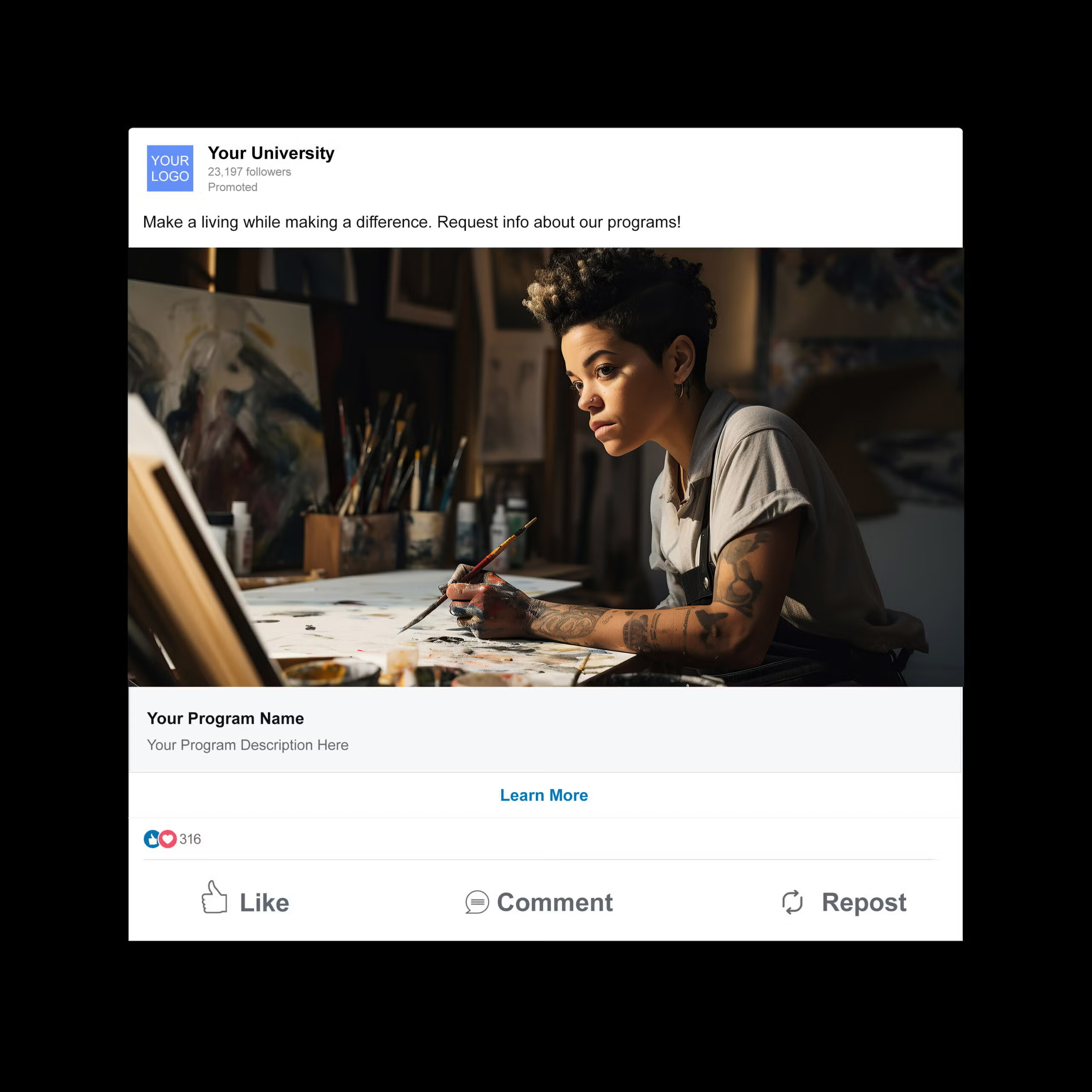
LinkedIn Spotlight Ads
Background Image Dimensions (optional, typically not recommended): 300×250 pixels
Logo Size: 100×100 pixels
Meta
Image Requirements
- Saved under 2MB
- Formatted as either .JPG or .PNG
- Text overlay and logos are recommended for optimal performance results.
- Ad Examples for A/B Testing
| Type | Size | Example |
|---|---|---|
| Sponsored Ads | 1440×1800 (4:5) + 1080×1080 (1:1) + 1080 x 1920 (9:16) | View (1:1) » |
| Carousel Ads | 1080×1080 (1:1) | View » |
Newsfeed Video Requirements
- 16:9 for horizontal videos or 4:5 for vertical videos
- Formatted as either .MOV or .MP4
- Saved under 4GB
- Resolution – at least 720p
- Cannot upload YouTube links to Meta
- Suggested length is 15-30 seconds
Meta Stories + Reels Requirements
- File Type: MP4, MOV or GIF
- Maximum File Size: 30MB
- Ratio: 9:16
- Recommended Length: 15-30 second video or still image
- Video Settings: H.264 compression, square pixels, fixed frame rate, progressive scan, and stereo AAC audio compression at 128kbps+
- Resolution: At least 1080 x 1080 pixels
- Video Captions: Recommended that captions are added directly to the video. If captions are not added directly, please provide an SRT file.
- Video Sound: Optional, but recommended
- Videos should not contain edit lists or special boxes in file containers.
- Leave 14% of the top, 35% of the bottom, and 6% on each side of the video asset free from text, logos, or other key creative elements to avoid covering them with the profile icon or call-to-action button
| Type | Size | Example |
|---|---|---|
| Meta Stories + Reels | 1080×1920 (9:16) | View » |
Native Ads
Image Requirements (both sizes required)
- Rectangular Image:
- Formats: JPG, PNG
- Min. size: 1200 x 627 pixels
- Max. size: 1999 x 1999 pixels
- Max. file size: 1200 KB
- Aspect ratio: 1.91:1
- Square Image:
- Formats: JPG, PNG
- Min. size: 627 x 627 pixels
- Max. size: 1999 x 1999 pixels
- Max. file size: 1200 KB
- Aspect ratio: 1:1
Logo Requirements
- Aspect ratio: 1:1
- Formats: JPG, PNG
- Min. size: 100 x 100 pixels
- Max. size: 1999 x 1999 pixels
- Max. file size: 1200 KB
Netflix
Video Requirements
- :15 seconds or :30 seconds in length
- File format: .MP4 or .MOV
- Aspect Ratio: 16:9
- Resolution: 1920×1080 or 1280×720
- Frame Rate: 23.976, 24, 25, 29.97, 30
- Frame Rate Mode: Constant
- Picture Quality:
- Ad creative should have sufficient bitrate such that encoding artifacts are not visible. Ad may run on large screens, alongside premium content, so it is important to have comparable quality between the two
- Letter/Pillar Boxing:
- Ad creative with letter/pillar boxing is allowed but not recommended, as it may display differently on some devices
- Letter/pillar boxing areas should not be used for additional graphics, copy, subtitles, etc,. and must be black only. Exceptions can be made for legal disclaimers and terms and conditions.
- Letter/pillar boxing can be used for creative intent and may change in dimensions during the creative
- Letterboxing and Pillarboxing should never exceed 37% of the viewable area
- Safe Zone Recommendation:
- It is recommended to place text and logos inside an inner rectangle with 38 pixels (3.5%) on each side and 67 pixels (3.5%) on the top and bottom from the edges of a 1920×1080 resolution
Note: Creatives with QR codes are not accepted and will be rejected based on Netflix’s policies
Audio Requirements:
- Codec: Preferred – PCM. Accepted – AAC-LC
- 2 channel stereo
- Audio Bitrate: 192kbps minimum
- Audio Sample Bit Depth: 16 or 24 (applicable for PCM)
- Audio Sample Rate: 48kHz
- CALM Compliance:
- Average program loudness of -24LKFS ±2
- Sample peaks do not exceed -2dB
Best Practices:
- 15-second ads are recommended
- Use bold, minimal text that is readable from afar, captions can be embedded for accessibility purposes
- Feature high-res, cinematic visuals for full immersion
- Include a CTA at the end of the ad to give viewers a clear next step
- Hook viewers in the first 5 seconds with sound and school branding to enforce brand recall as they watch passively
- Include a clear voiceover, subtle music, and sharp sound effects
OTT/Connected TV
Length
- 15-30 second duration
Size
- SD or HD
- 1920 x 1080
- 16:9 Aspect Ratio (Native/Source)
- SD/HD Bitrate: 10 – 50 Mbps
- All Square Pixels (Ratio 1.0)
- No Letterboxing
- No Black Bars
File Format
- .mp4 file format
Frame Rate
- Frame Rates: 23.976 / 29.97
- Constant Frame Rate Only
- Progressive Frame Only
- Remove any pull-down added for broadcast
Audio
- Audio Channels: STL & STR
- AAC-LC CodeC
- Bitrate: 128-192 kbps for AAC-LC
- 192 or 256 kbps Only
- 48kHz Sample Rate
- 12 dB Average Levels
- Audio is Required
| Type | Size |
|---|---|
| Connect TV/ OTT | 300×250, 300×600, or 728×90 |
Best Practices:
- 15-second ads are recommended
- Use bold, minimal text that is readable from afar, captions can be embedded for accessibility purposes
- Feature high-res, cinematic visuals for full immersion
- Include a CTA at the end of the ad to give viewers a clear next step
- Hook viewers in the first 5 seconds with sound and school branding to enforce brand recall as they watch passively
- Include a clear voiceover, subtle music, and sharp sound effects
Outbrain
Image Requirements
- Saved under 2.5 MB
- 1200×800 pixels
Pandora/AudioGo
Companion Image Requirements
- 300×250 (minimum)
- 500×500 (minimum)
- 300×600 (minimum)
- Maximum dimensions for uploaded images are 6000 x 6000 pixels while not exceeding an image size of 20MB
- File type: JPG, JPEG, or PNG
- Saved under 40kb or 20MB


Audio Requirements
- Length: 30 seconds or less
- Bit rate: 320kps and all slates removed
- Sample rate: 44.1kHz
- Formatted as either .WAV or .MP3, .WMA, .AAC, or .OGG
- Saved under 1MB
Creative Best Practices for AudioGo
- May not include “click” or “tap” CTA because Podcast ads do not support companion banners or include any clickable display component like streaming ads
- Mention school name/program name within the first 5 seconds of the ad for brand recognition
- Include a clear, concise CTA at the end of the ad so users can take action
- Recommended running all 3 companion banner sizes (rectangle, square, vertical), so banners will appear across all desktop, tablet, and mobile devices
- Best practices for Podcast ads:
- Music, sound effects, and mnemonics/sonic logos are allowed, however we strongly recommend against running ads with disruptive music and sound effects.
Image Requirements
- 2:3 Aspect Ratio
- 1000×1500 (recommended)
- PNG or JPEG Format Only
- Saved under 20mb
Character Requirements
Title: Enter up to 100 characters. Depending on the device, the first 40 characters may show in people’s feeds. When entered, titles will appear in the home feed or search feed. If a title is not entered and no Rich Pin title exists, nothing will show in its place in the home feed.
Description: Enter up to 500 characters. Descriptions do not appear when viewing the Pin in the home feed or search feed. Additionally, descriptions do not appear for ads when viewed up close. Descriptions are used by our algorithm to determine relevance for delivery. We recommend entering a description to help get your Pin or ad in front of the right audience.
Pre-roll/Online Video
General Requirements
- Max size: 300MB
- Video duration: 15 or 30 seconds
- Formatted as MP4
- Video size: 1920×1080 or 1280×720 (16:9 Aspect Ratio)
- Aspect ratio: 4:3 or 16:9
- Video frame rate: 23.98FPS or 29.97FPS
- Video bitrates: 20mbps or higher
- Audio bitrates: 192kbps
- Integrated Average Loudness: -24 LKFS (+/- 2.0dB) as per ATSC A/85
- Sample rate: 48kHz
- Audio codeC: AAC-LC
- Interactive applications available (third-party tags are required for this function)
- Companion ad should be under 150kbs
- Audio is required for video creatives
| Type | Size | Example |
|---|---|---|
| Companion | 300×250 | View » |

Best Practices:
- 15-second ads are recommended
- Lead with motion and emphasize branding in the first 5 seconds
- Captions can be embedded for accessibility purposes
- Include a CTA at the end of the ad to give viewers a clear next step
- Include a clear voiceover, subtle music, and sharp sound effects
Quora
Image Requirements
- Accepted image formats: PNG, JPG
- Aspect ratio: 16:9
- Minimum image dimensions: 600 x 335 pixels
Company Logo Requirements
- Recommended logo image size: 500 x 500 pixels
- Accepted image formats: PNG, JPG
- Size: displayed as a circle
Image Requirements:
- Aspect Ratios: 1:1, 4:5, 4:3, 16:9
- Resolution: 1080×1080, 1080×1350, 1920×1080+
- File Format: JPG, PNG, GIF (converted to still)
- Max File Size: 3 MB
Video Requirements:
- Aspect Ratios: 1:1, 4:5, 4:3, 16:9
- Length: 5–30 seconds recommended (up to 15 minutes supported)
- MP4 or MOV format
- Max File Size: 1 GB
- Thumbnail: 400×300+ pixels (JPG/PNG, 3 MB max)
Carousel Ad Images
- Aspect Ratios: 2–6; 1:1 or 16:9
- Resolution: 1200×1200+
- File Size: 20 MB max/image
- Max File Size: 3 MB
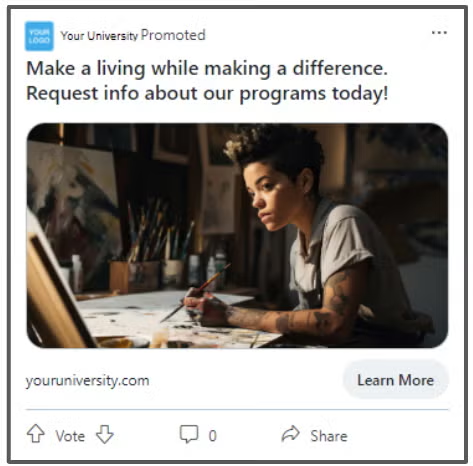
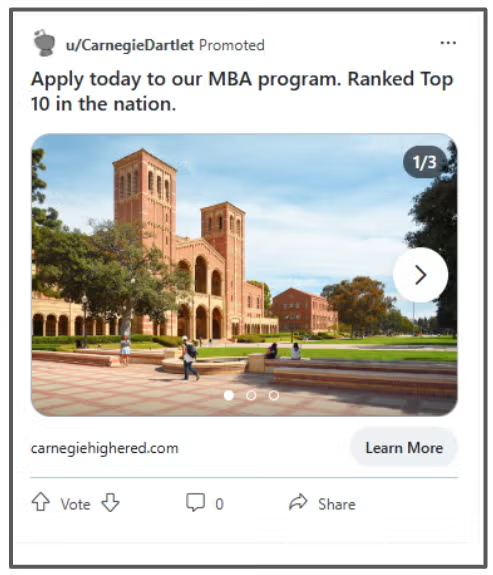
Responsive Display Ads
Image Requirements
- Landscape (1.91:1): 1200 × 628 (min required: 600 × 314, max file size: 5120KB)
- Square: 1200 × 1200 (min required: 300 × 300, max file size: 5120KB)
Logo Requirements
- Transparent background is best, but only if the logo is centered
- Landscape 1200×300 (max file size: 5MB)
- Square 1200×1200 (max file size: 5MB)
Snapchat
Requirements
- File Type: mp4 or .mov and H.264 encoded (video); .jpg or .png (image)
- Maximum File Size: 1 GB or less (video); 5 MB or less (image)
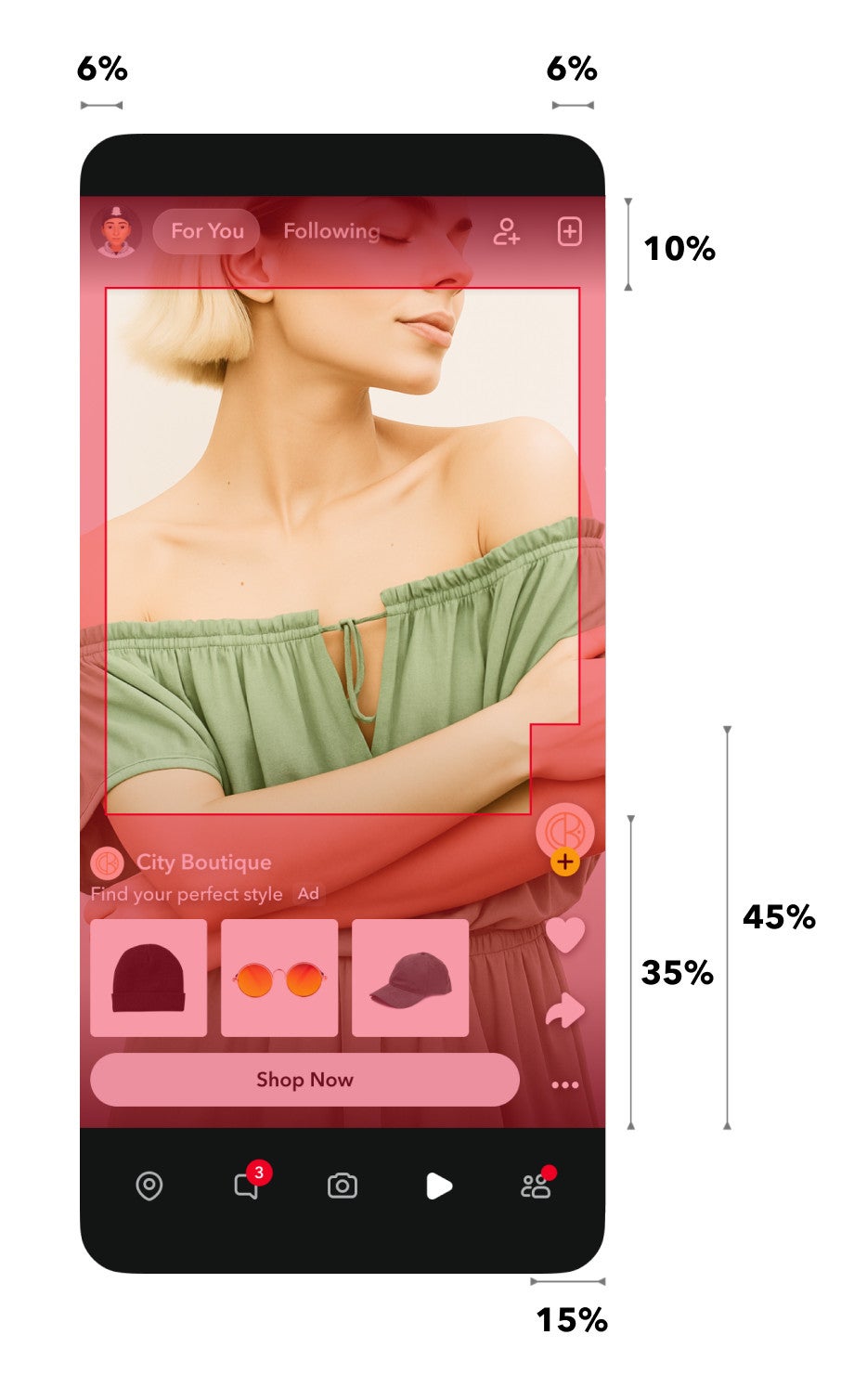
- Ratio: 9:16
- Recommended Length: 5-15 second video or still image
- Video Settings: Must utilize 2 channels (left and right) in a balanced way throughout, audio target level should be- 16 LUFS, PCM or AAC codec, 192 minimum kbps and 16 or 24 bit only
- Video Captions: Optional, but recommended
- Video Sound: Optional, but recommended
- Leave 330 pixels of the top and bottom of the video free from text, logos, or other key creative elements to avoid covering them with the profile icon or call-to-action button. Be sure to adhere to the 5% buffer zone for the left and right sides of creative.
| Type | Size | Example |
|---|---|---|
| Video | 1080×1920 (9:16) | View » |
Spotify
Companion image and logo
- Dimensions: Square, at least 600 x 600 pixels
- File type: JPEG or PNG
- Max file size: 200KB
Video file
- Length: 30 seconds or less
- File types: MOV, MP4
- Max file size: 500MB
- Aspect ratio: 9×16 (vertical), 16×9 (horizontal)
- Quality: HD 720×1280 or similar (portrait), HD 1280×720 or similar (landscape) – Volume: RMS normalized to -14 dBFS; Peak normalized to -0.2 dBFS
- All files must include sound—no silent videos will be accepted


Client-Provided Audio Requirements
- Length: 30 seconds or less
- Bit rate of 320 kps or 192kbps and all slates removed
- Sample rate: 44.1kHz
- Integrated average loudness: -16 LUFS (+/- 1.5 LUFS)
- True Peak Limit: -2.0 dBTP
- Formatted as either .WAV, .OGG, or .MP3
- Saved under 50MB
Background Track*
- Length: 30 seconds or less
- Formatted as either .WAV, .OGG, or .MP3
- Saved under 50 MB
*This is optional
Creative Best Practices
- Audio and video ads should be 30 seconds or less
- Run audio, video, and display ads together as often as possible.
- Mention school name/program name within the first 5 seconds of the audio/video ad for brand recognition
- Include a clear, concise CTA at the end of the audio/video ad so users can take action
TikTok
Video Requirements
- Recommended aspect ratio: 9:16
- Resolution: ≥ 720x1280px / ≥ 640x640px / ≥1280x720px
- File Type: .mp4/.mov/.mpeg/.3gp/.avi
- Video Duration: 9-15 secs (10 secs max recommended)
- Bitrate: ≥ 516 kbps
Profile Image Requirements
- Aspect Ratio: 1:1
- File type: .jpg/.jpeg/.png
- Saved under 50KBs
| Type | Size | Example |
|---|---|---|
| Video | 9:16 | View » |
Twitch
Requirements
- Creative format: VAST 3.0 only. Must adhere to creative spec for CSAI or SSAI.
- Video file type :30, :15 or :06 seconds
X (Twitter)
YouTube
General Requirements
- Send YouTube link(s) of your videos.
- Companion ad should be under 150kbs.
| Type | Size | Example |
|---|---|---|
| Companion | 300×60 | View » |

YouTube Efficient Reach Campaigns
- Skippable In-Stream/In-Feed horizontal video ad between 15-30 seconds (Required)
- 6-second horizontal Bumper video ad (Highly recommended to have at launch, can be layered in later)
- 15-second vertical video ad, uploaded as a regular YouTube video to the client’s YouTube channel (Highly recommended to have at launch, can be layered in later)
- Companion banner is highly recommended, not required (Dimensions 300×60, max file size: 160KB)
- Video assets must be uploaded directly to the client’s YouTube channel and can remain unlisted
Resolution
- 1080p (Full HD)
- Recommended pixel dimensions for Full HD:
- 1920 x 1080px (horizontal)
- 1080 x 1920px (vertical)
Aspect Ratios
- 16:9 for horizontal
- 9:16 for vertical
YouTube Video Shorts
- Length: 15 seconds
- Resolution: 1080 x 1920px (vertical)
- Aspect ratio: 9:16 (vertical)
- Similar to our regular YouTube videos, this video should be uploaded directly to the client’s YouTube account as a Shorts video
Best Practices:
- Include a clear voiceover, subtle music, and sharp sound effects
- Maximize reach by using all 3 ad formats
- Captions can be embedded for accessibility purposes
- Include a CTA at the end of the ad to give viewers a clear next step
- Stay within image safe zones (Horizontal / Vertical)
- Emphasize branding within the first 5 seconds