
There’s never a dull moment in the world of AI search.
On November 19, Google announced the rollout of a new collapsible sidebar on its desktop/mobile Search experience, making it easier for users to revisit AI Mode conversations, start new threads, and access research notebooks. The update came just one week after Google announced Gemini 4 Hydrogen as the new model powering AI Mode, bringing improvements to complex queries, helpful links, and visual search responses. At the same time, Google removed the “search” button and replaced it with AI shortcuts.
Together, these updates point toward a more continuous search experience, where users can return to conversations, build on previous research, and refine their decisions over time. For higher education marketers, that could change how prospective students discover, compare, and ultimately choose institutions.
How Does Google’s New AI Mode Sidebar Work?
When a user navigates to Google and selects AI Mode, a sidebar toggle on the left side of the screen allows them to open the new navigation panel. Depending on their settings, users may also need to first enable Web & App Activity in order to unlock all of the sidebar features. You must be signed into Google to access this feature.
In the sidebar, a user sees a list of their recent search history, with each search now being referred to as a “thread.” There is the option to collapse the list of recent searches so that they are out of view, as well as the capability to delete past searches from the list. Additionally, users can “Search threads,” presenting the opportunity to search through one’s own history. Lastly, the option to create a “New Thread” sits at the top of the sidebar.
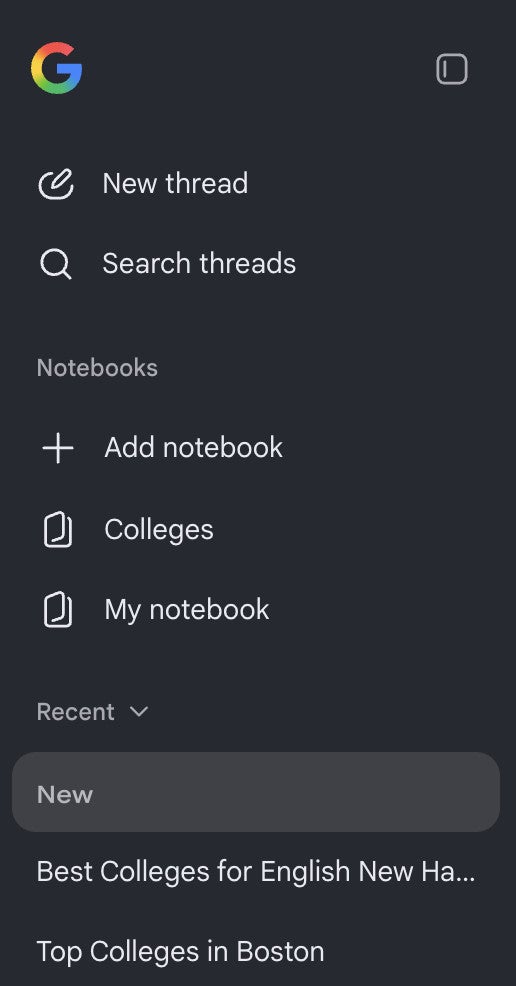
In addition to Threads, the AI Mode Sidebar makes Google’s Notebooks feature easier to access. By Google’s definition, these are “organized research and project workspaces built directly into Google Search’s AI Mode, letting you gather sources, add AI Mode threads, and chat around specific topics.”
Users can create Notebooks around specific projects or interests and add files, website URLs, and copied text as sources. Rather than training the underlying AI model, these materials help ground responses in information relevant to the user’s research. Notebooks also connect with Gemini and Gemini Notebook, allowing users to access shared sources and instructions across Google’s AI experiences.
How Might Google’s New AI Mode Sidebar Impact the Way Students Search for Colleges and Universities?
With the AI Mode Sidebar being so new, we can only make educated guesses about how this tool will impact prospective students and their families. That being said, after playing around with these features, I have some predictions.
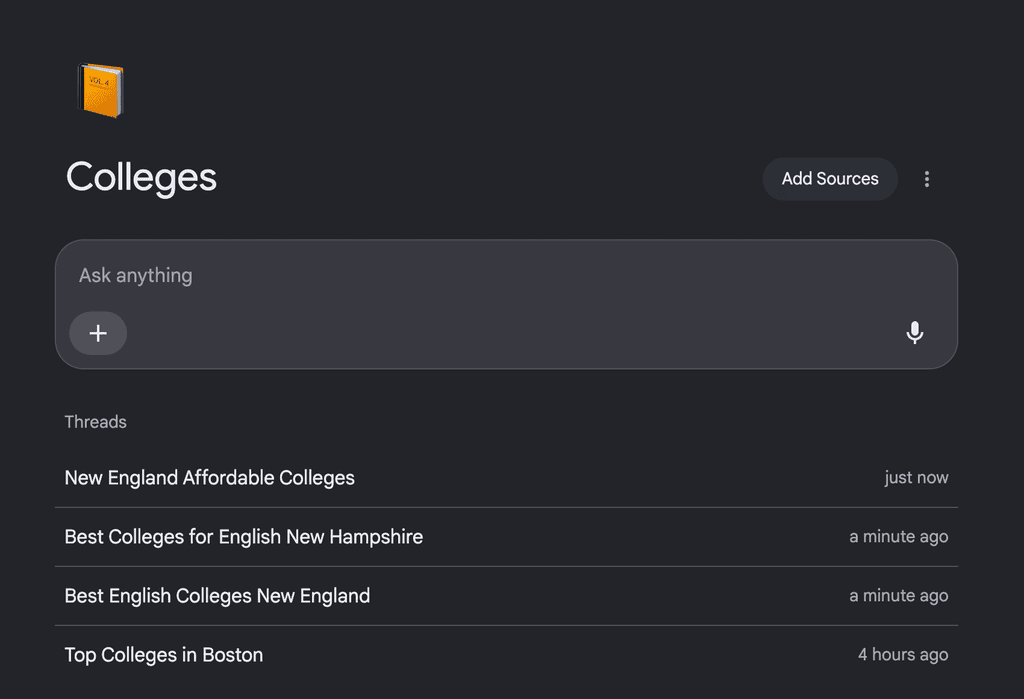
I envision that prospects will use the Notebooks feature to organize their college search process. Someone might create a notebook titled “Colleges,” for example, and compile a myriad of conversations and resources there. Or, someone else might create notebooks for each institution they are considering, uploading important dates, facts, and figures into each. Either way, this will create an easy way for prospects to organize information during their search journey. And they’ll be able to return to these threads and notebooks to keep the conversation going, so that over the course of months or even years they have a compilation of information about your institution. And since Threads can be shared, we can imagine a scenario in which students pass these conversations to other decision-makers, such as their parents, and vice versa.
When it comes to AEO, I have been saying all year that your institution has to have the kind of content that can carry a conversation. Google’s AI Mode sidebar takes it a step further—you have to have the kind of content that can keep the conversation going over the course of several months.

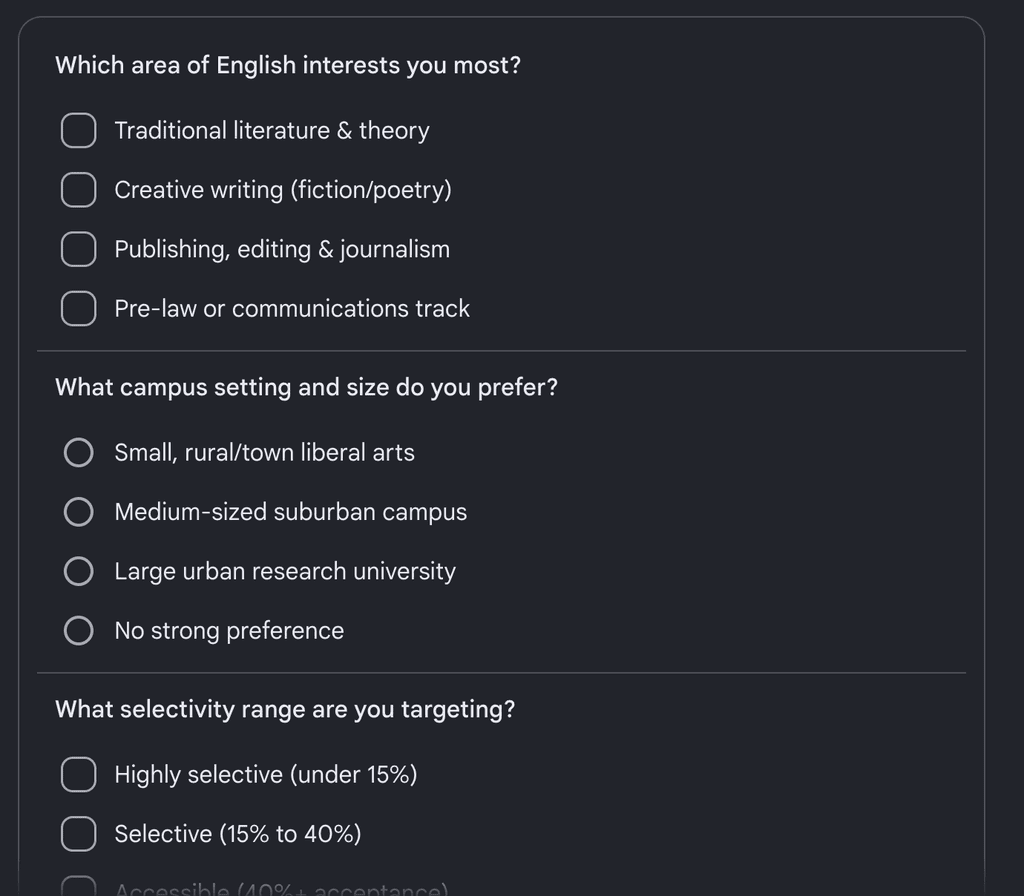
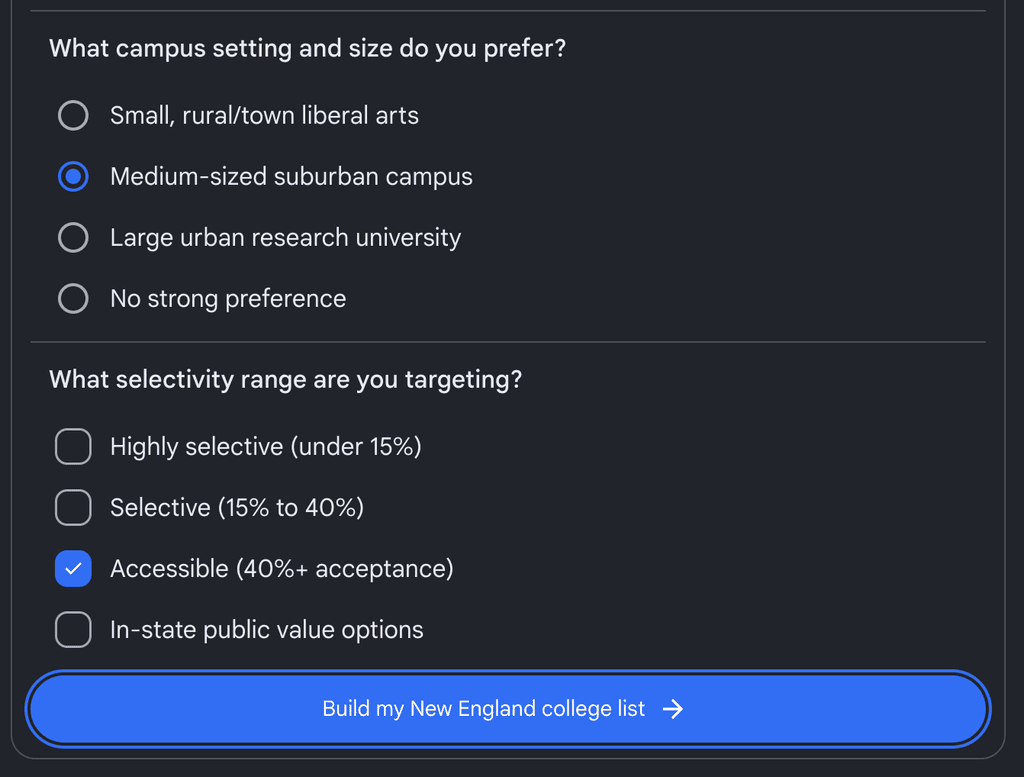
In my recent AI Mode testing, I also noticed Google asking users multiple-choice questions to move a conversation along. For example, when I queried what the best colleges in New England were for majoring in English, it asked me a number of follow-ups, accompanied by four options per question. These follow-up questions included, “Which area of English interests you most?” “What campus setting and size do you prefer?” and “What selectivity range are you targeting?”
The screenshots below show how that experience unfolded during my testing. After answering questions about academic interests, campus preferences, and selectivity, AI Mode offered to “Build my New England college list.”
This experience felt very similar to the introductory testing I’ve been doing with ChatGPT’s forthcoming College Planner, which I’ll be writing more about soon.
What Do Higher Education Institutions Need to Do to Be Visible in Google AI Mode?
Colleges and universities need to have the kind of content that gets pulled into the conversations that prospective students are having with LLMs. Gone are the days of holding back content from your institution’s website. Everything needs to be communicated there, down to minute details.
That means building the kind of content that can make students first aware of your brand when searching for “Best colleges in New England for an English Major” while also creating content that assists the prospect saying to an LLM, “I got into both X and Y universities, help me decide which one to attend.” Answer Engine Optimization (AEO) is a full-funnel strategy, from brand awareness all the way down to yield.
The reality is that a lot of institutions don’t have all of the information on their websites that a prospect needs in order to make an informed decision. That leads to schools being left out of or misrepresented in conversations.
Higher education marketers need to look at their content strategy through the lens of a prospect returning to the same LLM conversation over the course of several months. They need to view Google’s AI Mode Threads as uncommissioned admissions counselors, and they need to be giving those counselors all of the information they need to assist each prospective student. That means creating more content that both informs students and also signals authority to Google.
For example, if you want to be seen as the expert on majoring in English, then you can’t just have one Bachelor of Arts in English program page. You need to build an entire English Major entity on your .edu, supported by detailed information about concentrations, career outcomes, internship opportunities, scholarships, program comparisons, and student experiences.
As I’ve explored in our guide to optimizing higher education websites for AI search, this kind of connected, authoritative content helps institutions answer more specific student questions and strengthen their discoverability.
With Gemini 4 Hydrogen placing a greater emphasis on “a broader range of helpful links” than before, websites with strong content have the ability to show up for a greater number of citations. Furthermore, Google’s statement that it is “richer in structured visual answers” reinforces a belief I have been talking about all year—image and video content is key to answer engine visibility. Higher education marketers shouldn’t just be thinking about writing content, but also about what visuals accompany these web pages and how they can repurpose this expertise into video content and vice versa.
Preparing Your Institution for Longer AI Search Journeys
For higher education marketers, the opportunity is to ensure institutional content can support students as their questions become more specific throughout the college search process.
That means focusing on three priorities:
- Audit the questions students are asking. Look beyond broad program searches to understand how prospective students compare institutions, evaluate affordability, explore outcomes, and make enrollment decisions.
- Build connected, comprehensive program content. Ensure academic program pages are supported by accurate information about concentrations, faculty expertise, career pathways, student experiences, costs, and application requirements.
- Measure and refine AI search visibility. Monitor where your institution appears in AI-generated answers, which sources are being cited, where competitors are gaining visibility, and which content gaps could be limiting discovery.
For additional ways to put these recommendations into practice, explore five things higher ed teams can do to improve AEO.
The goal isn’t simply to appear in an AI-generated answer once. It’s to provide valuable information that remains relevant throughout a student’s decision-making process.
Make Your Institution Part of the Conversation
As AI search becomes a more continuous part of the student journey, institutions need content and strategies that support discovery, consideration, and enrollment.
Carnegie helps higher education institutions understand where they’re appearing in AI-generated answers, identify gaps in visibility, and strengthen the content that influences how prospective students discover and evaluate their options.
Ready to strengthen your institution’s AI search visibility? Start a conversation with our team.